Rune
For iPhone

Read the menu. Ask the way. Keep the whole trip.

Rune is a travel translator for iPhone. Point your camera at a sign, or talk with someone. Every translation lands in one scrapbook of your trip.

Drag the line to see the original
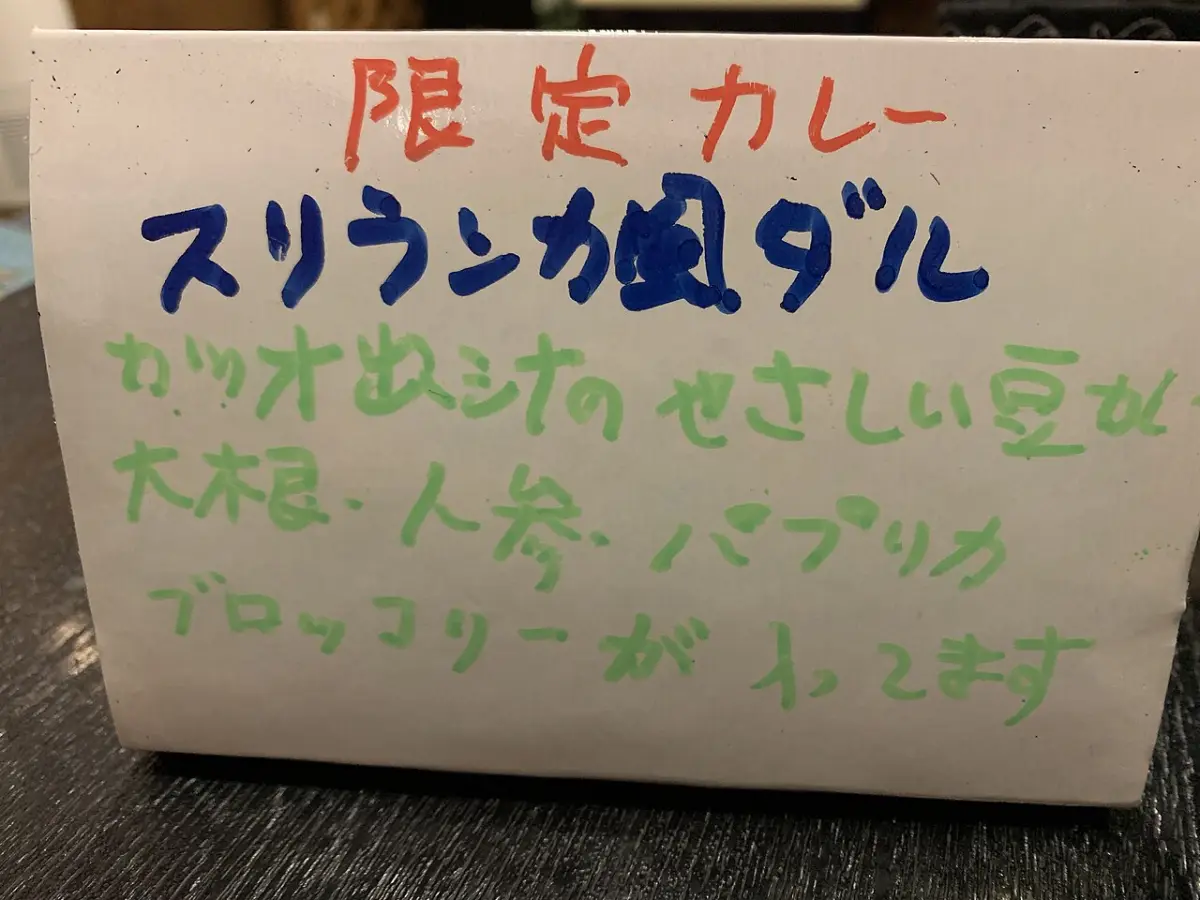
A hand-lettered Japanese sign for a limited-time curry, with English laid over the same lines.
Limited-time curry
Sri Lankan-style dal
Gentle bean curry in bonito broth
Daikon, carrot, bell pepper
and broccoli inside
Curry special at a small restaurant Shizuoka

Heads up: bonito broth is made from fish, so this one isn’t vegetarian.

Today, 2:14 PM, Shizuoka

Talk with anyone, in both languages

Tap Talk and start speaking. Rune listens and shows each line in English and Japanese as it’s said. It keeps track of who said what.

Handing the phone across a counter? Face-to-Face splits the screen, so you each read your own side.

Excuse me, how do I get to the train station?

すみません、駅までどうやって行けばいいですか?
Speaker 1

Go straight down this road and turn left at the second traffic light.

この道をまっすぐ行って、二つ目の信号を左に曲がってください。

How long does it take on foot?

歩いてどのくらいかかりますか?
Speaker 1

About seven minutes. It’s across from the convenience store.

七分くらいですよ。コンビニの向かいです。
Speaker 1

Take care, off you

気をつけて、いってらっ
あなたの言葉ありがとうございます!
Shop ownerTake care, off you go!
Face-to-Face: one phone, two sides
How to get to the train station with the shop owner
  1. 1Straight down this road
  2. 2Left at the second traffic light
  3. 3Station is across from the convenience store, about 7 minutes
A phrase to keep
いってらっしゃい

Itterasshai. “Off you go,” said warmly to someone heading out.

When you tap Done

Each talk becomes a note you can use

Rune turns the conversation into a short note. You get the steps to follow, a phrase worth keeping, and the full translation if you want it.

So when you forget which light to turn at, you don’t have to ask again.

One book for the whole trip

Menus, signs and talks stay together, by day and by place. Search finds them in either language.

Today in Shizuoka

Hand-lettered sign for a limited-time curry
Curry special at a small restaurantShizuoka
How to get to the train station Left at the second light, about 7 minutes.

Yesterday in Tokyo

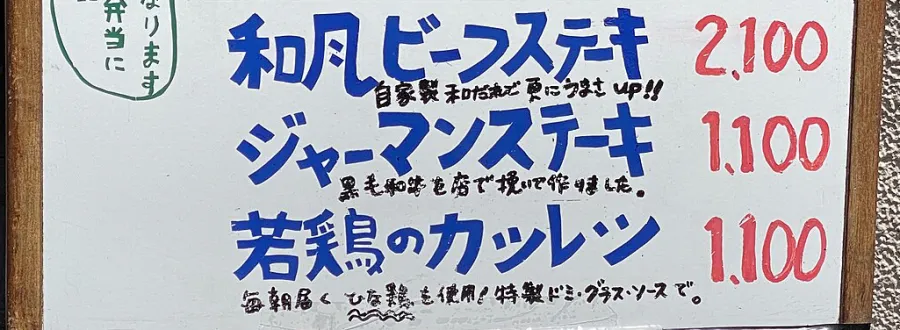
Menu board with steak and chicken specials and prices
Lunch specials on a menu boardTokyo
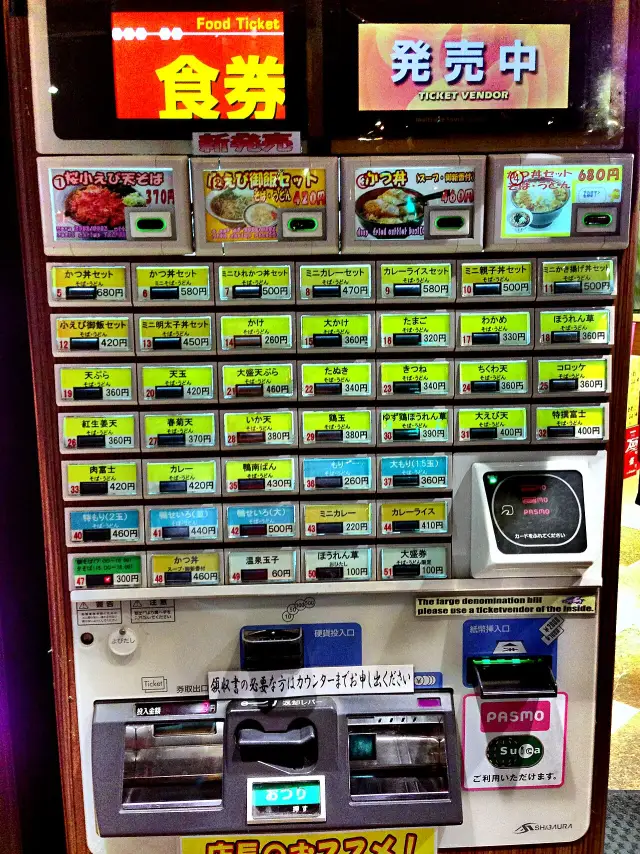
Soba shop ticket machine with rows of labeled buttons
Soba menu on a ticket machineTokyo

Nov 3 in Osaka

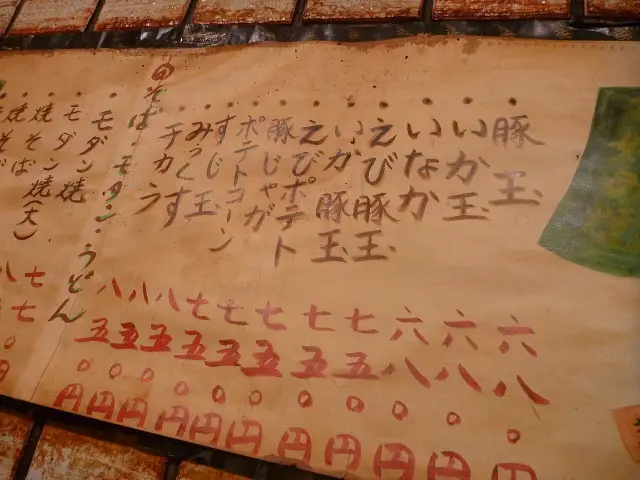
Handwritten paper wall menu with prices in red
Okonomiyaki menu on a wallOsaka
Why everyone is lining up The cook says it’s the pork. About a 20 minute wait.

Feb 5 in Okinawa

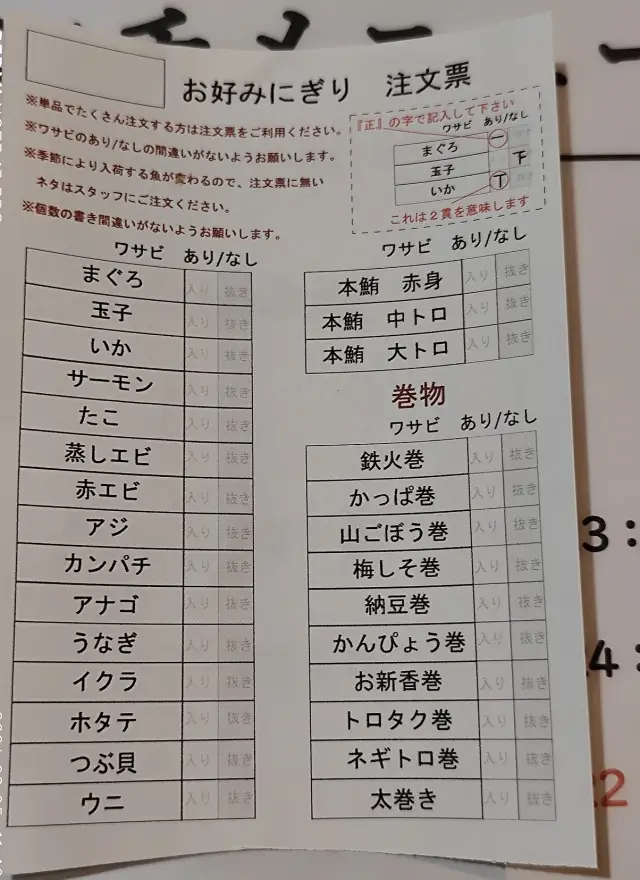
Sushi order sheet listing fish with checkboxes
Sushi order sheetOkinawa

This morning, Makinohara

Record the whole tour. Keep what matters.

For a tour or a long talk, let Rune run. You get a summary, your to-do list and the full transcript.

Then ask it questions, like what you agreed to pay or what time the bus leaves.

To play the audio back later, turn on Save Audio first. It’s off by default.

Tea farm tour in Makinohara
English and Japanese · 3 speakers
1:12:04

Summary

Ms. Mori took you from the first-flush fields to the steaming shed and a tasting. You bought tea, and it’s being shipped to your hotel.

Action items

  • Done: Pay ¥2,400 in cash at the shop.
  • Send Ms. Mori your hotel address by 5 PM.
  • Catch the 10:40 bus from the main gate.

What did we agree on?

Two bags of first-flush tea for ¥2,400, paid in cash, shipped to your hotel.

Before you go

When can I get it?
Join the list and we’ll email you when you can try it.
Is it only for Japan?
No. The examples here are from Japan, but Rune also works with Chinese, Korean, Spanish, French, German, Portuguese, Arabic and Hindi, to and from English.
What do I need?
An iPhone, an Apple account to sign in, and a data connection. Rune needs to be online to translate.
Can I trust it with allergies?
Use it as a guide, not a guarantee. Rune can point out things like fish broth, but it can make mistakes. Always confirm allergies with the staff.
What happens to my photos and recordings?
Transcripts and photos with text are saved to your account, where other people using Rune can’t see them, and you can delete them at any time. To do the work, your speech, photos and transcripts go to outside AI services. Adding a place to a photo is optional. Save Audio is off by default, and you can turn it on. Either way, ask people before you record them. Read the Privacy Policy.
Going somewhere soon?

Get Rune before you pack.